Destination Toolbox launches WebHaste: a free, open-source CMS alternative for building and deploying smaller websites

LITTLE ROCK, AR — September 10, 2026 — Destination Toolbox today announced the release of WebHaste, a free, open-source website builder and CMS workflow that helps developers, agencies, and WordPress-fatigued site owners build and manage smaller websites without the server-side overhead that comes with traditional platforms.
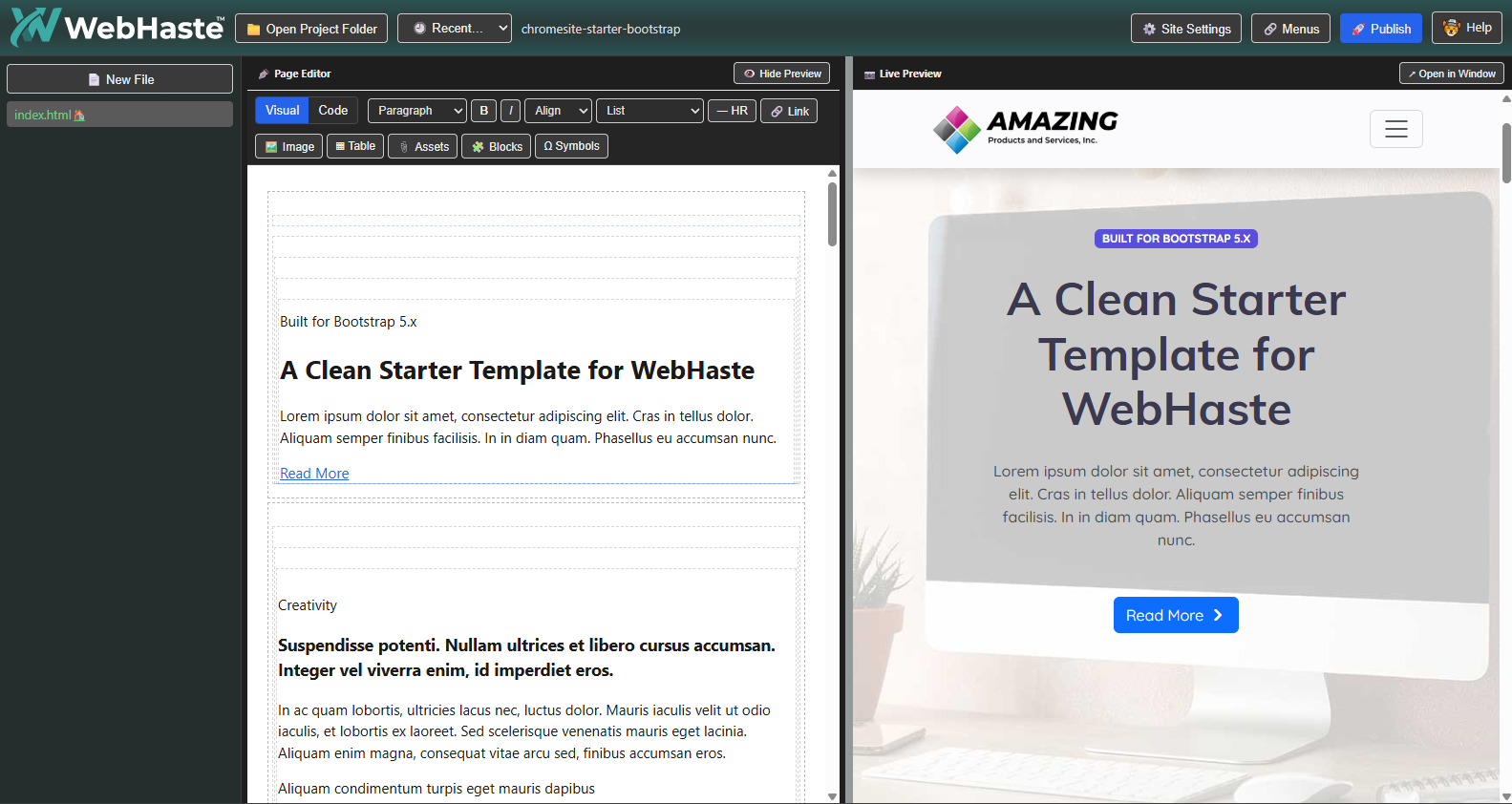
WebHaste runs entirely on a user's device and generates standard, ready-to-deploy HTML files. This lets site owners keep full ownership of their site (files, hosting, backups) while still working with a friendly editing experience and modern deployment options.
“WebHaste is for teams that want a simpler way to ship and maintain smaller websites,” said James Little, owner and lead developer at Destination Toolbox. “If you don’t need a database-driven CMS, you shouldn’t have to babysit one. WebHaste keeps things lightweight, deployable, and easy to hand off, without giving up real workflows and the speed and security benefits of static hosting.”
Little also pointed out that WebHaste is uniquely suited for human-AI collaboration on websites. While many AI site builders are tied to specific languages or hosting environments, WebHaste enables a real-time, back-and-forth workflow with your preferred AI tools that ultimately creates websites that can be deployed anywhere.
Why WebHaste
For many small websites, the hardest part isn’t building the site — it’s maintaining the stack: updates, plugins, hosting complexity, stale caches and the ongoing security concerns that come with server-side platforms. WebHaste is designed as a fast, easy and practical alternative when you want a user-friendly CMS workflow, but prefer static output you can deploy anywhere.
While technically a JAMstack CMS, WebHaste simplifies the often multi-application steps of working with markdown and static site generators. Instead of different tools, file formats, command lines and varied protocols, you have one browser window to edit, manage and publish.
What WebHaste does
-
CMS-like editing, static output: Visual WYSIWYG editing with real-time preview; generates real HTML files per page
-
Runs locally in the browser (free extension for Chrome/Chromium, including Chromebooks)
-
Built-in SEO: automatic sitemap.xml, robots.txt, custom 404, per-page meta descriptions, OpenGraph tags and more
-
Direct deployment to free hosting: built-in pipelines to Cloudflare Pages and Netlify, plus local export for any host
-
Agency-friendly workflows: manage multiple client sites via shared drives or Git workflows, tools for per-page tracking code and pixels
-
AI collaboration-ready: sites include notes/skills for file-aware AI agents (e.g., Claude Code, Codex). Agents can build templates, edit files and manage content, but cannot publish.
Which projects are a good fit for WebHaste?
- Small- to medium-sized informational sites (< 100 pages)
- Infrequently updated blogs
- Campaign landing pages
- Personal sites and portfolios
- Sites needing AI collaboration workflows
- Sites that can use 3rd party embeds or client-side scripts for user forms, email signups, etc.
Which sites probably need a different platform?
- Ecommerce sites
- Larger sites with hundreds of pages
- Sites with heavy user customization or user logins
- Sites that require direct database interaction
Availability
WebHaste is available now in public beta (currently version 0.3.0) via the Chrome Web Store.
-
Website: https://chromecms.com/
-
Install: https://chromewebstore.google.com/detail/webhaste/ofblooflocfdegjjpgjfbefnjmjmbapa
About Destination Toolbox
Destination Toolbox has decades of experience building award-winning websites and web platforms. The team previously developed PostHaste CMS for complex, database-driven sites and created WebHaste to serve organizations that want a simpler, local-first, static-site workflow with AI tools and modern deployment options.
Media Contact:
James Little
james@destinationtoolbox.com
Press Kit
WebHaste Editor Screenshot:
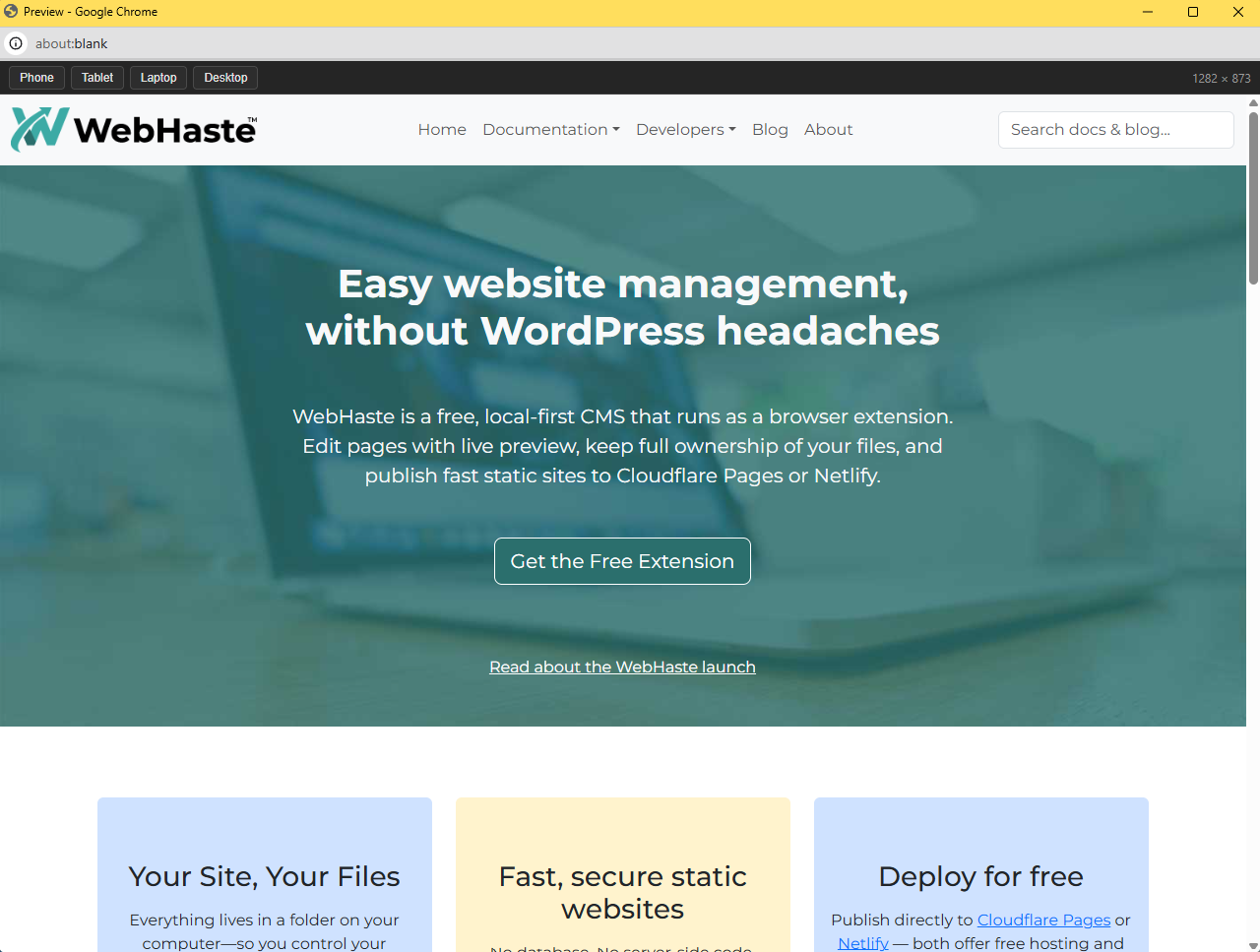
Responsive Preview Tool Screenshot:
Introductory Video: